

In July 2022 I came home to Vietnam after five years in Russia. Those five years were spent in Russian, not English. A month later I started at an international company, and my English was good for exactly two things: introducing myself and asking how someone's weekend was. In meetings with colleagues from abroad, I caught two or three words per sentence. For the first few months, a Vietnamese coworker had to speak for me.
I have never taken an English class and I still don't hold a single English certificate. Today I work in English every day with colleagues in the US, Germany, Italy, India and Taiwan, and I don't think about it anymore. Most of that road was self-taught. The hardest stretch, going from “I know this” to “I can say this out loud”, was crossed thanks to one thing: having someone to talk to every day. Today, that someone can be an AI.
This guide is everything I've learned about how to practice English speaking with AI: what it does well, what it can't do, how to pick a tool, which steps to follow, and when to put the app down and talk to a real person. I'm the founder of Chamate, so I'll use it for examples in places. But the method below works with any AI tool that lets you talk out loud.

What Is AI Speaking Practice?
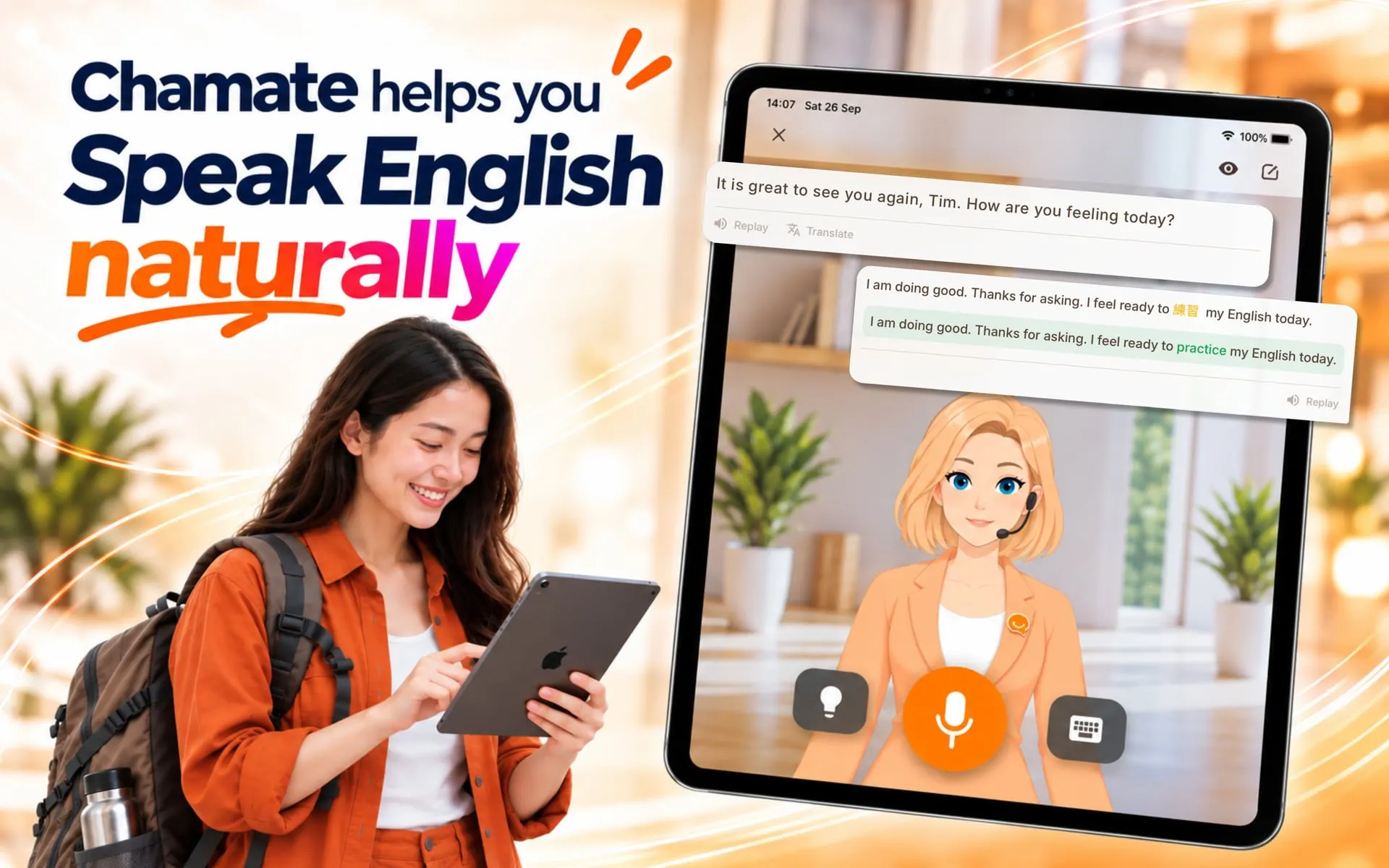
Practicing English speaking with AI means having a spoken conversation with an artificial intelligence program, the way you would with a practice partner. You talk, the AI understands and answers in English, then points out what you got wrong and suggests a more natural way to say it. Unlike studying vocabulary or grammar, the goal is reflex: thinking and speaking at once, with no time to look anything up.
Two things need clearing up, because they decide whether you pick the right tool.
First, speaking practice means using your voice. A lot of people open ChatGPT, type back and forth in English for twenty minutes, and feel like they've practiced speaking. Typing helps your grammar and vocabulary. It does nothing for your mouth. When you type, you have time to fix things. When you speak, you don't.
Second, a pronunciation scorer is not a speaking app. Apps that show you a model sentence and grade each sound are useful for clearer pronunciation, but you're still reading someone else's words. Speaking practice is when you think of the sentence yourself, say it, and someone answers back.
Why Years of Study Don't Add Up to Speaking
Most learners I meet have studied English for years. Many read well and pass grammar tests. Then a stranger asks them a question and they freeze. I was the same, even though I got there by a different route.
In my first months of self-study I did everything the books say: vocabulary lists, grammar, films, YouTube, repeating after videos. My vocabulary grew. My pronunciation got clearer. But when a colleague asked me something that wasn't in my script, nothing came out. That's when I noticed the thing I now believe is the real cause:
“I could sit and study piles of vocabulary and grammar, and all it did was let me recognize them. Using them in a real conversation was a different matter.”
Studying vocabulary and grammar lets you recognize English when you hear it. It does not let you use it. Using is a separate skill, and the only way to build it is to speak, get it wrong, get corrected, and speak again. I go deeper into the mechanism in why you freeze when speaking English despite knowing the words.
And here is where most self-learners get stuck. To speak, you need somewhere to speak. But that environment doesn't appear by itself. Classes are expensive and give you a few dozen minutes of actual talking per week. A private tutor costs more. Finding language partners online takes scheduling, patience, and a tolerance for strangers. Which leads to the question I think every learner has asked themselves:
“How do you find an English-speaking environment when you can't speak English yet?”
My turning point came when I got close to a few colleagues who spoke English with each other, and then made a friend outside work who happened to be an English teacher. We talked constantly, went out, and I joined an English club. About two months later my reflexes were different. Not because I had learned anything new, but because I was finally using what I already knew, every day, with real people.
I was lucky to find that group. Not everyone is. That's exactly the gap AI fills.
What AI Can and Can't Do for Your Speaking
Let me be direct: AI does not replace people. In my experience, a conversation with an AI feels about 90% as natural as one with a human. That's my personal estimate, not a measurement. But that 90% is enough for the most important job in the early stage: giving you someone to talk to every single day, who is always free, never impatient, and never judges you.
| What you need in order to speak | Where AI does well | Where AI falls short |
|---|---|---|
| Someone to talk to daily | Available 24/7, no scheduling, no hourly rate | No real relationship, none of the “my friend is waiting” motivation |
| No fear of mistakes | Nobody laughs, nobody sighs | Because there's no pressure, you may get lazy about finishing sentences |
| Instant correction | Fixes grammar and suggests words as you speak, saves them for later review | Won't catch sentences that are grammatically right but culturally off |
| Practice on topics you actually need | Can set up any situation: a job interview, a client call, a doctor's visit, renting a flat | AI is sometimes too polite; real people interrupt, ramble, and use slang |
| Exposure to speed and variety | You can control how fast the AI speaks and what vocabulary level it uses | AI voices are still clearer and more standard than people on the street |
| Pronunciation | Replay model sentences, replay your own voice | Nothing replaces a native speaker frowning because they didn't catch what you said |
The way I see AI in speaking practice: it's a stepping stone. You use it to get from “nothing comes out” to “I can say it, even if it's rough”. After that, you need real people to go further. The last part of this guide covers the signs that you're ready for that stage.
Choosing a Tool: ChatGPT Voice or a Dedicated Speaking App?
The question I hear most: I already have ChatGPT, do I need a separate app? I spent a long time practicing with ChatGPT Voice and Gemini before building Chamate, so my answer comes from real use.
ChatGPT Voice and Gemini are excellent for people who already speak English well. For learners, they have three problems:
- They talk too fast. Ask them to slow down and they will, for a minute, then speed back up. They're built for general users.
- They interrupt. Learners hesitate and pause to think. The moment you pause, the AI decides you're done and jumps in. You haven't finished your sentence and you're already listening to the reply.
- No learning tools. They don't correct your grammar unless you ask, there's no way to look up a word mid-conversation, and nothing saves your mistakes for review.
None of this makes ChatGPT bad. It wasn't built for learning English. That behavior is right for general users and wrong for learners. I wrote a full breakdown of how to get the most out of ChatGPT, and where it stops being useful, in how to practice English speaking with ChatGPT.
When you evaluate a dedicated speaking app, here's what I think matters, in order:
| What to look for | Why it matters |
|---|---|
| Voice-first, tap to speak, tap again to send | The AI never cuts you off while you're thinking. Take as long as you need |
| Adjustable speaking speed and level | Beginners need the AI to talk slowly, use simple words, and stay that way for the whole session |
| Grammar correction inside the conversation | You see the mistake right away without the flow being broken |
| You can switch to your own language when stuck | The deciding feature for beginners. You're mid-sentence, a word is missing, you say it in your native language, and the AI understands and shows you the full English sentence. No stopping to open a dictionary |
| Word lookup mid-conversation | Tap an unfamiliar word in the AI's reply to see what it means, without leaving the app |
| Custom scenarios | Practice the exact thing you need: next week's interview, a client meeting, a hospital visit abroad |
| A topic path | So you don't have to invent something to talk about every day |
| Less important than people think: per-sound pronunciation scores | Useful, but not what gets you past freezing |
Chamate is built around exactly this list, because it's the list of things I was missing when I taught myself. But you can use the table to judge any app. For a comparison of popular options, see the best English speaking practice apps.
How to Practice English Speaking with AI in 7 Steps
This is the routine I recommend to beginners. Each step has a reason, and you'll notice it's quite different from how most people open an app and start talking.
Step 1: Pick a level one notch below what you think you are
Most apps let you choose a level, usually on the A1 to C2 scale. Learners tend to pick high, because their reading is good. But reading and speaking are different skills. If you read at B2 but freeze when talking, start at A2 or B1. The goal of week one is to finish your sentences, not to sound impressive.
In Chamate, the level decides which words, tenses and sentence lengths the AI uses, and it stays there for the whole session. Move up when the AI's sentences feel too easy, not when you feel you “should” be at a certain level.
Step 2: Start with topics you can already talk about in your own language
In the first week, don't practice job interviews or presentations. Talk about your workday, breakfast, last weekend, your cat. You're training the mechanism that turns thoughts into speech. If you have to invent content and find the English at the same time, you overload and go right back to freezing.
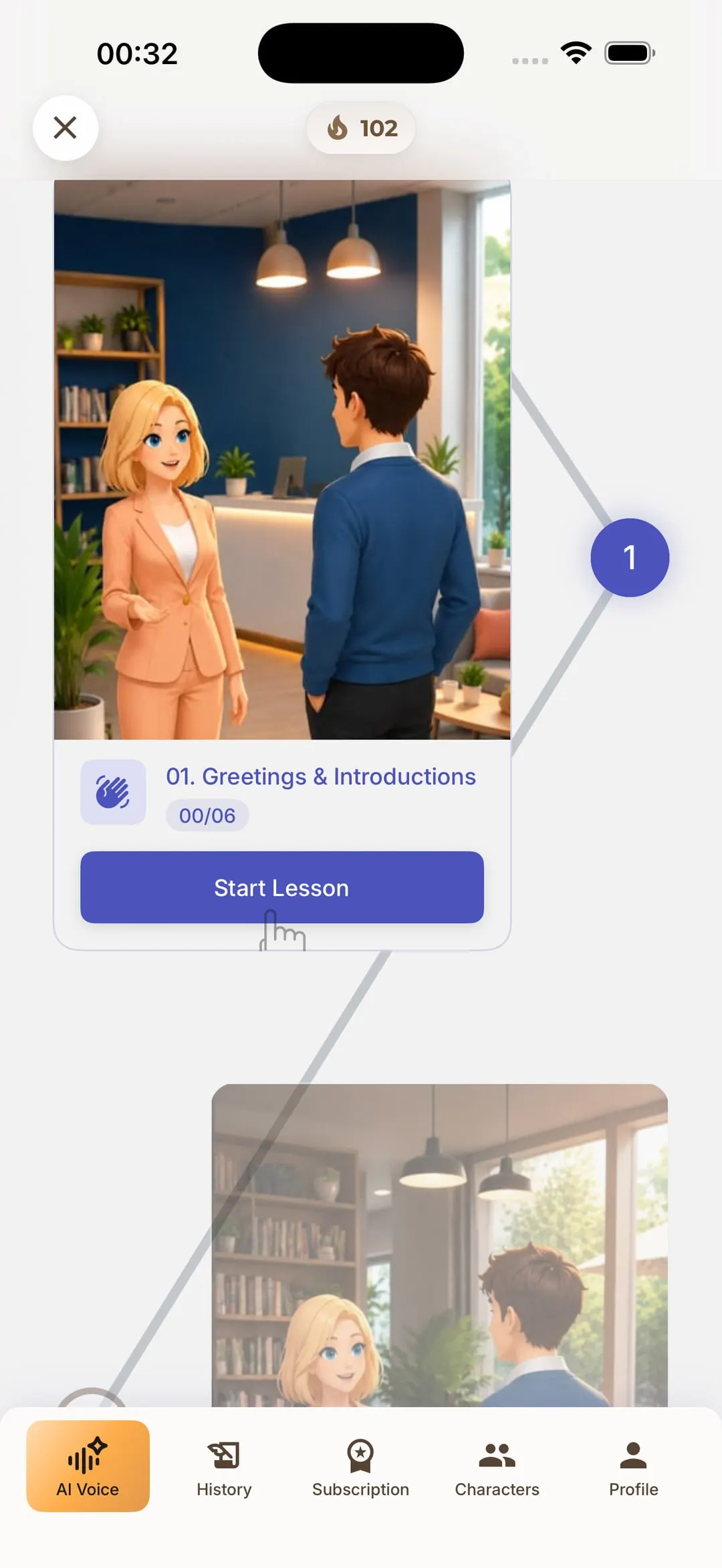
A topic path in the app saves you from deciding what to talk about. In Chamate, each topic is a short scenario with a few small tasks; you speak to complete one before the next unlocks. Going from Starter to Master walks you from A1 to C2 topic by topic. If you'd rather pick your own, here's a list of English conversation topics for beginners.
Step 3: When a word is missing, say it in your language and keep going
This is the most important step, and the one beginners get wrong most often. When you hit a missing word, the natural reaction is to stop, look it up, then continue. Every stop breaks your flow, and your brain learns that “speaking English” means “stopping constantly”.
Instead, keep going by dropping in your own language: “I need to… [your word for ‘book an appointment’]… with the doctor.” Chamate understands the mixed sentence, replies to you, and shows the complete English version so you can see the word you were missing was “make an appointment”. You keep your flow, and you learn the word in the exact context you needed it, which sticks far better than a word from a list. Chamate supports twenty native languages for this.
Step 4: Review your corrections after the session, not during
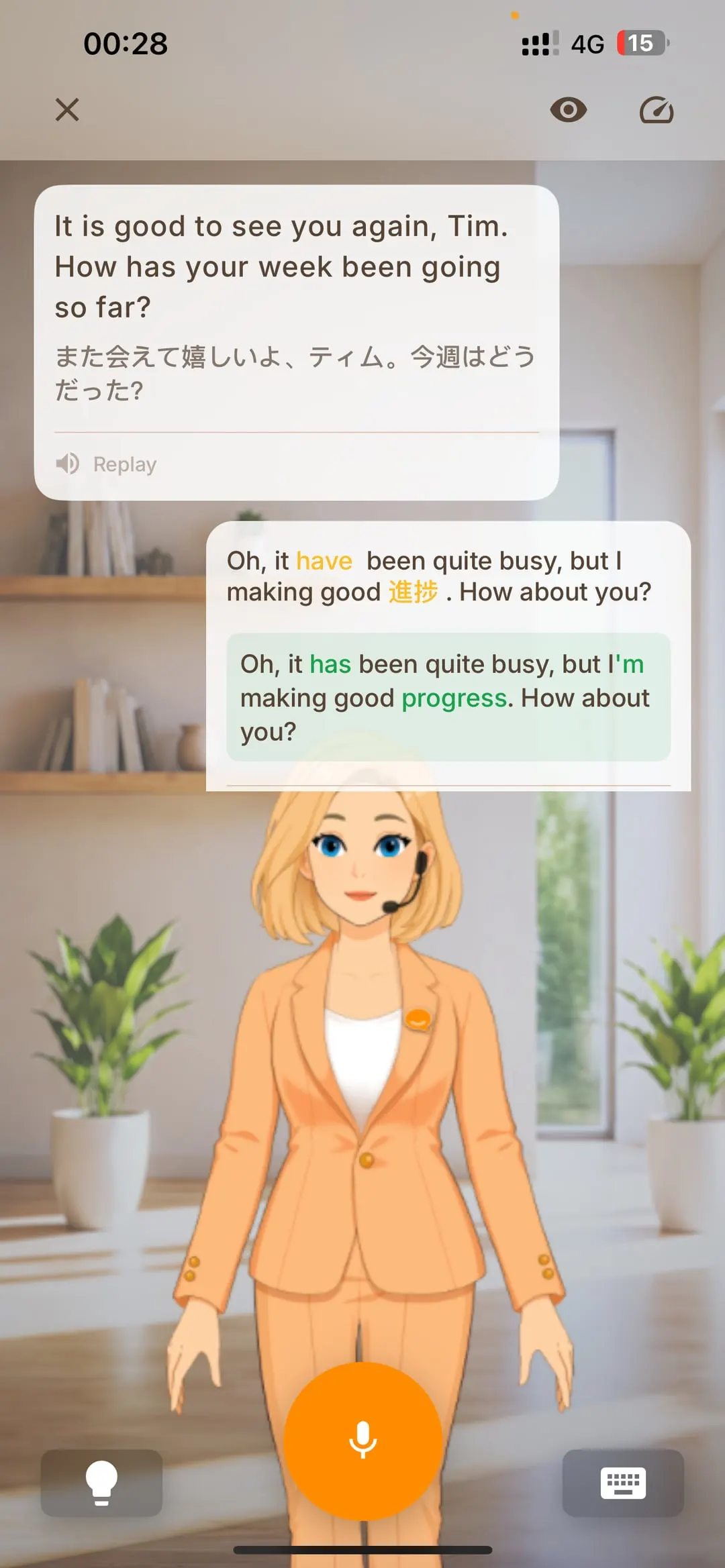
Turn on grammar correction, but don't fix every sentence while you're talking. After a 10 to 15 minute session, open the list of sentences to improve. You'll usually see two or three mistakes repeating: the missing third-person “s”, a wrong past tense, a dropped article. The repeating mistakes are the ones to focus on, not the random ones.
Every word you looked up during the conversation goes into your vocabulary list automatically. Chamate has three review games for that list, and a widget that puts your words on your lock screen so you see them several times a day without opening the app.
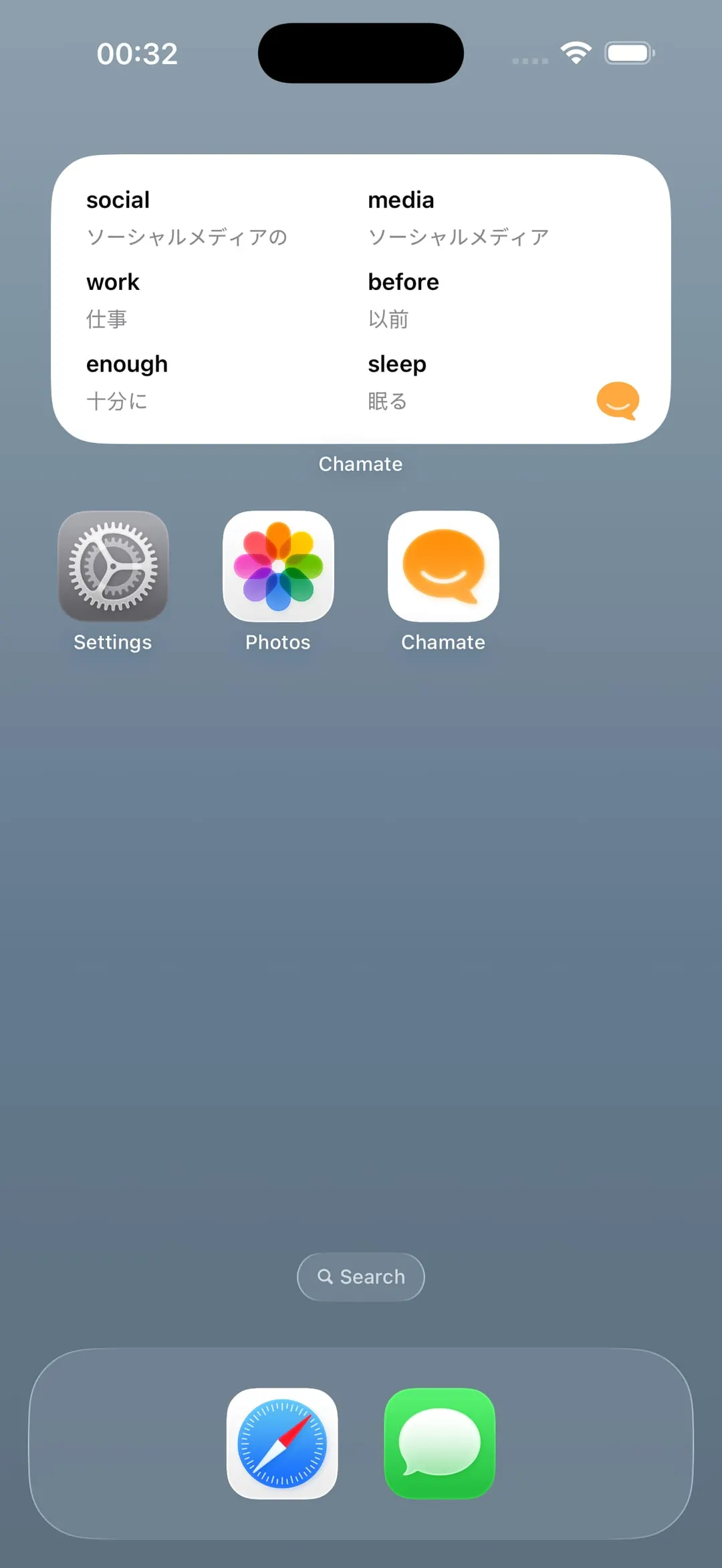
Step 5: Listen to the model sentence, then say it back
When the AI suggests something you could say, don't just read it. Play it, then repeat it, matching the rhythm and intonation. This is a simple form of shadowing, and it covers the gap that free conversation leaves: pronouncing whole sentences, not just individual words. Back in 2022 I did this by recording video reports for work, playing them back, re-recording, and spending over an hour on a few minutes of video. Now you can do it inside the conversation, one sentence at a time.
You can also replay your own voice from the session. The first time is usually a shock, because you sound nothing like you think you do. But it's the fastest way to catch pronunciation habits nobody has told you about. For more on rhythm and intonation, see how to speak English naturally like a native speaker.
Step 6: After two weeks, build your own scenarios
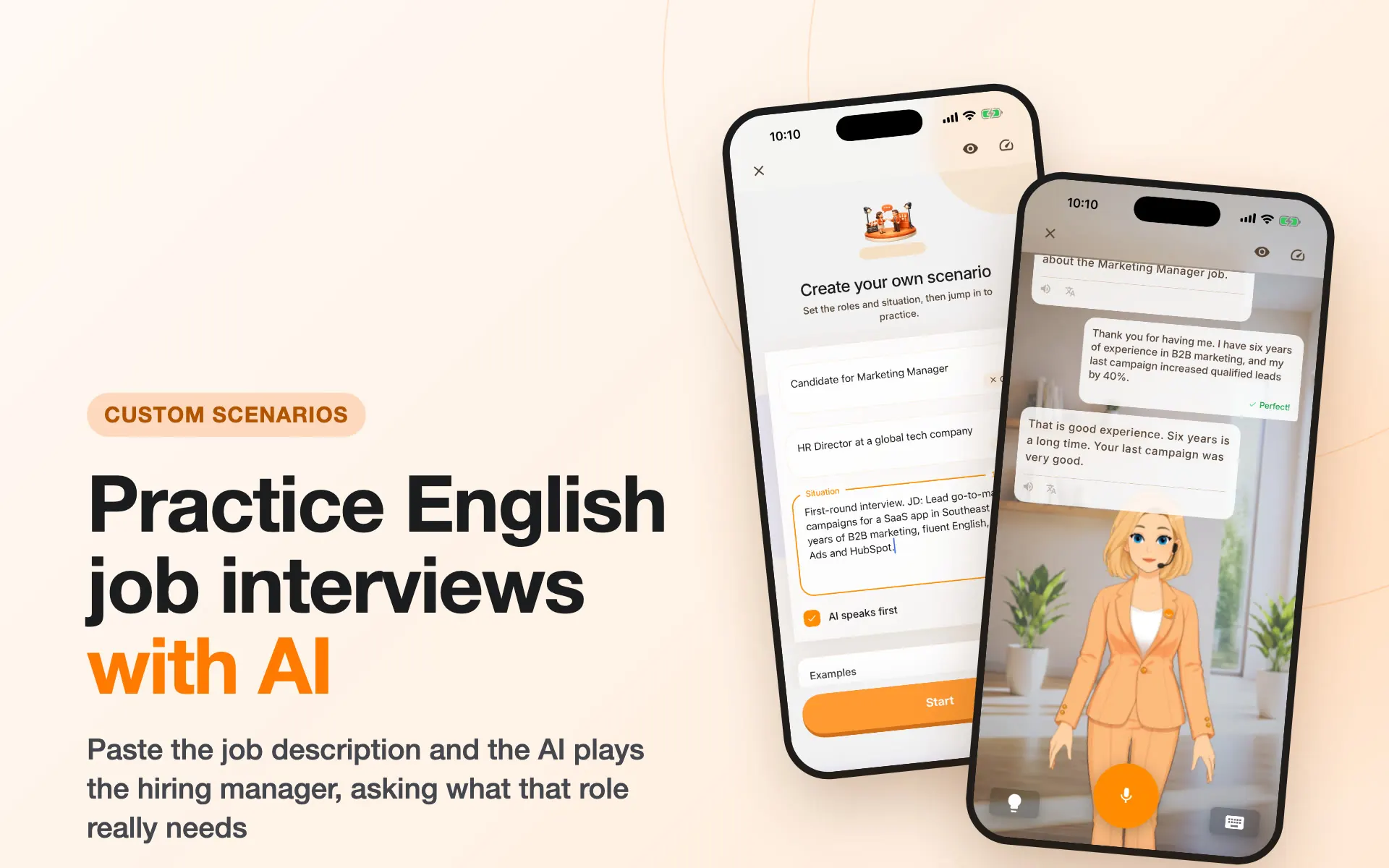
Once you can finish sentences on familiar topics, move to what you actually need. This is where custom scenarios earn their place. In Chamate you fill in three things: your role, the AI's role, and the situation. For example: you're the candidate, the AI is the interviewer, and the situation is the job description you just pasted from the listing. The AI then asks exactly what a hiring manager would ask for that role.
Scenarios worth building first: a job interview at a foreign company, a daily standup with a remote team, a progress update for a client, a hotel check-in while traveling, a phone call with customer support.
Step 7: Fifteen minutes a day, never more than two days off
I honestly can't tell you when I became good at English. It felt like a line that kept sloping upward, not a staircase of “not fluent, fluent, native”. That line only slopes up if you speak every day. Fifteen minutes daily beats two hours on Sunday, because reflexes are built by short, frequent repetition.
The streak counter in the app isn't for showing off. It's a simple way to stop you from skipping three days and then quietly giving up. If you want a concrete plan for those fifteen minutes, I laid one out in how to practice English speaking with AI in 15 minutes a day.
Your First Four Weeks
Here's the plan I recommend if you're starting from “I know a lot but nothing comes out”. Each session is 15 to 20 minutes.
| Week | Focus | Each session | You've got it when |
|---|---|---|---|
| 1 | Finishing sentences | Low level, everyday topics from the topic path. Drop into your own language when stuck. Don't look at corrections while talking | You can talk for 10 minutes without quitting halfway |
| 2 | Spotting repeat mistakes | Same familiar topics. After each session, review corrections and write down your 3 most common errors. Start repeating model sentences | You catch your own mistake right after saying it |
| 3 | New ground | Switch to topics you need for work or study. Move the AI up one level if its sentences feel easy | You can answer an unexpected question, even slowly |
| 4 | Real situations | Build custom scenarios: interview, meeting, short presentation. Replay your own voice in at least 2 sessions | You can speak under pressure without freezing |
After week four, keep the daily fifteen minutes and start looking for real people to talk to, as described at the end of this guide. If you want to understand which parts of speaking reflex you can build alone and which you can't, how to practice speaking English alone at home separates the two.
6 Mistakes Learners Make with AI Speaking Practice
These are the ones I see most, in myself and in learners I've talked to.
- Typing instead of talking. Typing feels safe; the AI can't mishear you. But you're here to practice speaking. If you're worried the AI won't understand you, that's the clearest sign you need to speak more.
- Choosing a level based on reading ability. Covered in step 1. The AI talks fast and uses hard words, you can't keep up, and you quit after three days.
- Staying on familiar topics forever. Right for week one, wrong after a month. If you're still describing your weekend, you're repeating, not improving. Reflex only grows when you face questions you didn't prepare for.
- Stopping to look up words mid-sentence. Every stop trains the habit of stopping. Drop in your own language and keep going.
- Speaking textbook English. “I am very fine, thank you, and you?” isn't wrong, but nobody says it. When the AI offers a more natural version, use it again in the same session instead of just reading it.
- Never listening to yourself. Hearing your own voice is uncomfortable for everyone. It's also the only way to find out why people don't catch what you say. Most learners drop or swallow final consonants without ever hearing it while they speak.
Using AI for Speaking Exams and Job Interviews
Two of the most common goals are exam speaking sections (IELTS, TOEFL, and the like) and job interviews in English. AI suits both, but you use it differently.
For exam speaking, AI is best for the part most people dread: open, abstract questions you can't predict, like IELTS Part 3. Set up a scenario with the AI as examiner, pick B2 or above so the questions are demanding enough, and practice 30 to 45 second answers. One thing to keep in mind: the AI won't give you a band score. It helps you speak fluently and fixes your grammar; exam strategy and scoring need a teacher or real past papers. I wrote a separate guide on how to practice IELTS Speaking with AI, criterion by criterion and part by part.
I don't hold any certificate and my career has been fine, but I don't take that as a reason to dismiss exams. If you need a score for university or a visa, go get it. Just remember that a test score and the ability to hold a conversation are related but not the same thing.
For interviews, this is where AI gets closest to the real thing. Paste the job description into the scenario, let the AI play the hiring manager, and practice until “Tell me about yourself” comes out without thinking. I also recommend practicing the questions you'll ask them back. Learners often skip that part, and it makes a strong impression.
When to Move from AI to Real People
AI is the stepping stone. The destination is talking comfortably with people. In my view, you're ready to take that step when:
- You can talk with the AI for 15 minutes on an unprepared topic without quitting.
- The number of corrections per session has clearly dropped, and what's left are small slips rather than mistakes that change the meaning.
- The AI starts to feel predictable. That's a good sign: you need the messiness of real people now.
At that point, look for one of these, from easiest to hardest: an English conversation club in your city (most cities have them, often free or cheap), a colleague or classmate who wants to practice too, a language-exchange partner through an app, and finally a one-on-one tutor if you have a specific goal like an exam or an interview.
Don't drop the AI once you have people. The pattern that works best, in my experience: AI every day to keep the rhythm and try new sentences, a real person every week to check whether those sentences land the way you think they do.
Final Thoughts
If I had to compress this whole guide into one sentence: you can't speak English because you haven't spoken enough, not because you haven't studied enough. Most learners have studied plenty. What's missing is a place to use it, every day, without anyone judging.
In 2022 I didn't have that place, and it took me a long time to find one. Now it can live on your phone. Start with fifteen minutes tonight, pick a level lower than you think you need, talk about dinner, and when a word is missing, say it in your own language. You can try Chamate, or use any tool that meets the criteria above. What matters is that you speak, out loud, today.